
Tunneltweak Premium: The Complete Guide (Everything You Need to Know)
Everything you need to know about Tunneltweak Premium — starting at just ₦490. Compare the BASIC, PRO, and VIP plans, pay by Naira bank transfer or crypto, paste your API key into the app, and unlock every premium server. A click-by-click walkthrough with screenshots — no technical knowledge needed.
Tunneltweak Premium: The Complete Guide (Everything You Need to Know)
** — Premium starts at just ₦490.** Pick a plan, pay with bank transfer or crypto, paste your key into the app, and every premium server unlocks. This guide walks you through it click-by-click — no technical knowledge needed.
Table of Contents
- Why go Premium?
- The plans at a glance
- What each plan unlocks
- How to subscribe — step by step
- Paying with bank transfer (Naira)
- Paying with crypto
- Unlock premium in the app — paste your API key
- Redeem codes (gift / promo codes)
- Frequently Asked Questions
1. Why go Premium?
Tunneltweak is free to use — but free servers get crowded, slow at peak hours, and show ads.
Premium gives you:
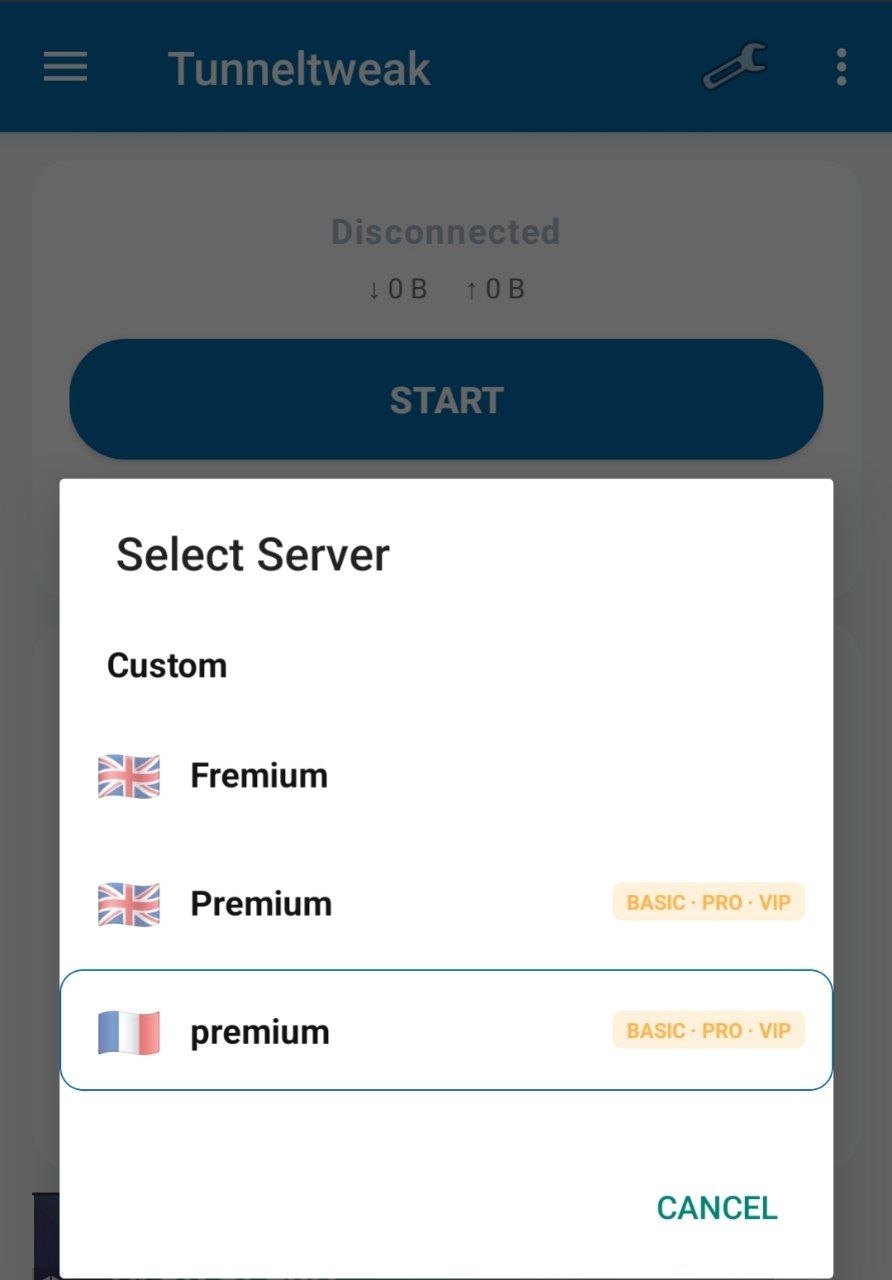
- ⚡ Faster, less-crowded servers — premium machines with fewer users per server
- 🛠️ Advanced connection tweaks — more protocols and settings that punch through strict networks
- 🚫 Ad-free (PRO and VIP) — no more banner or popup ads
- 🎯 Priority performance (VIP) — routed to the best-performing servers first
- ♾️ Stacking time — buy while subscribed and your time adds on top; never lose a day
2. The plans at a glance
| Plan | Duration | Price (USD) | Price (Naira) | Best for |
|---|---|---|---|---|
| BASIC Daily | 1 day | $0.35 | ₦490 | Trying premium for a day |
| BASIC Weekly | 7 days | $1.00 | ₦1,400 | Short-term use, students |
| PRO Monthly | 30 days | $3.00 | ₦4,200 | Everyday browsing, ad-free |
| VIP Monthly | 30 days | $10.00 | ₦14,000 | Heavy users, best performance |
Prices are the same whether you pay with crypto or bank transfer — no extra charges either way.
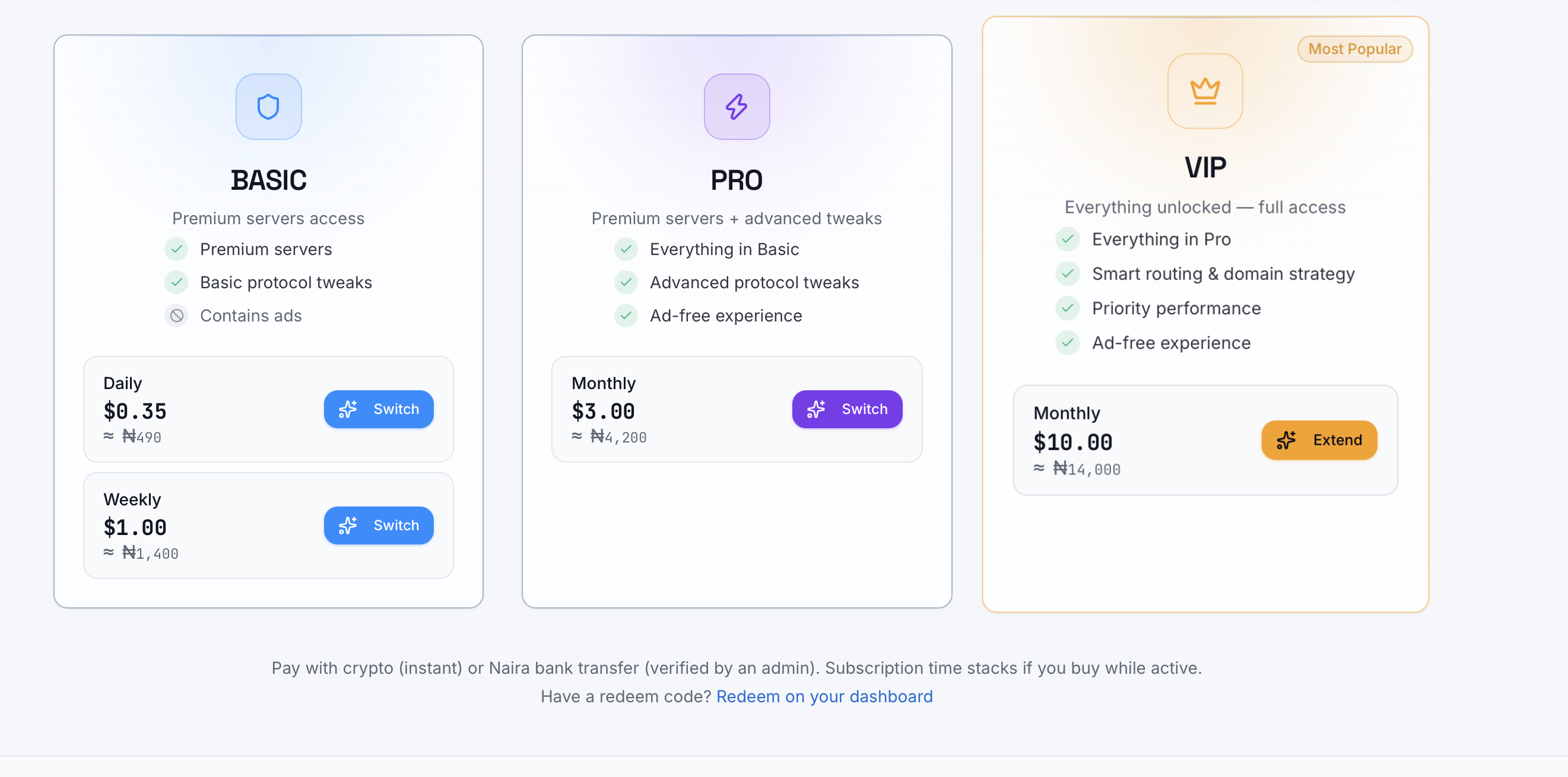
tunneltweak.com/server/plans showing the three plan cards (BASIC / PRO / VIP) with their prices.
3. What each plan unlocks
🟢 BASIC — "Taste premium"
- ✅ Premium servers
- ✅ Basic protocol tweaks
- ❌ Still contains ads
Perfect if you just want to test the faster servers for a day or a week without committing.
🟡 PRO — "The sweet spot"
- ✅ Everything in Basic
- ✅ Advanced protocol tweaks (more ways to connect on strict networks)
- ✅ Ad-free experience
The most popular choice. One payment covers a whole month with zero ads.
👑 VIP — "Everything, unlimited"
- ✅ Everything in Pro
- ✅ Smart routing & domain strategy
- ✅ Priority performance (first in line on the fastest servers)
- ✅ Ad-free experience
If you stream, game, or download heavily — this is the one.
— The perk comparison list from the plans page (the checklist under each tier card).
4. How to subscribe — step by step
You subscribe on the website (works on any phone browser), then unlock the app with your key (Section 7). Here's the full journey:
Step 1 — Create a free account
- Go to tunneltweak.com
- Tap Sign in (top right)
- Register with your email or one tap with Google
— The sign-in page showing the email fields and the "Continue with Google" button.
⚠️ Important: Use the same account in the app that you used to pay. Your premium is tied to your account, not your phone — so it also follows you if you change devices.
Step 2 — Open the plans page
- Tap Plans (or go straight to
tunneltweak.com/server/plans) - You'll see the three tiers: BASIC, PRO, VIP
Step 3 — Pick your plan
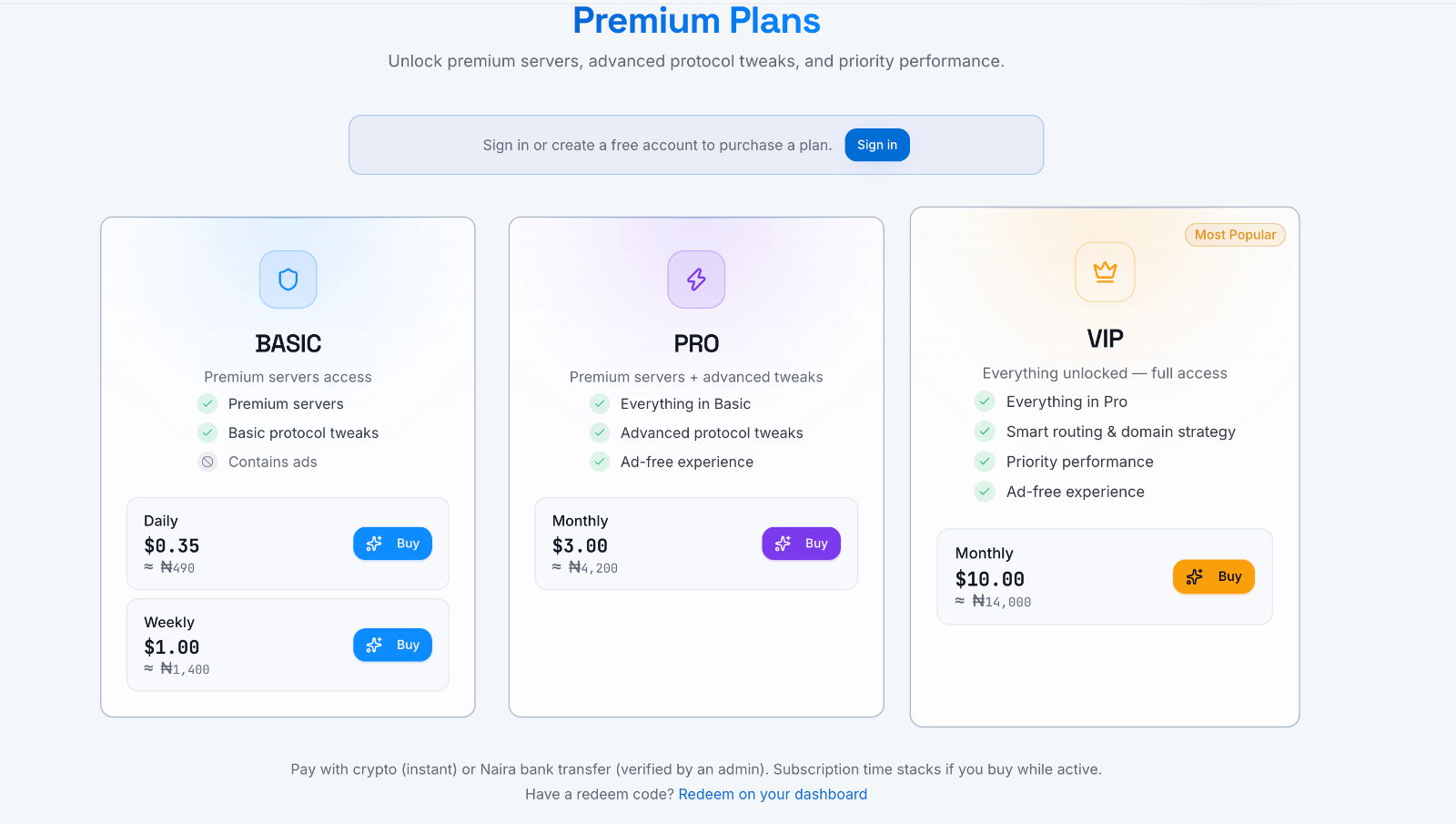
Each tier card lists its durations with prices. Tap Buy (or Switch) on the one you want.
— A tier card with the Daily / Weekly / Monthly rows and their buttons highlighted.
Step 4 — Choose how to pay
A window pops up with two options:
- 🏦 Naira (bank transfer) — pay from any Nigerian bank app
- 🪙 Crypto — instant, USDT/BTC and more
Pick whichever suits you — both are covered in detail below.
— The payment-method chooser inside the checkout popup (Crypto / Naira bank transfer).
5. Paying with bank transfer (Naira)
This is the most popular method — you pay from your normal bank app (Kuda, GTB, Opay, PalmPay, anything), then upload the receipt. No card needed.
Step 1 — Tap "Naira (bank transfer)"
The app shows you exactly where to send the money:
| Bank | Kuda |
| Account name | Rimola LTD - Tunneltweak VPN |
| Account number | 3004222184 |
| Amount | The exact naira price shown on your screen |
— The checkout popup showing the bank details box (bank name, account name, account number) and the exact amount to transfer.
⚠️ CRITICAL — Transfer the EXACT amount shown. Short or partial payments are rejected and not refunded automatically. Send it in one single transfer.
Step 2 — Send the money from your bank app
- Open your bank app
- Transfer the exact amount to the account above
- Wait for the debit alert, then screenshot the successful receipt
Step 3 — Upload your receipt
Back on the Tunneltweak payment window:
- Tap the Choose file / upload button
- Pick your receipt screenshot (photo or PDF, max 5 MB)
- (Optional but smart) add a note: the sender name and time — e.g.
paid from John Doe, 10:32am - Tap Submit for approval
— The receipt-upload form with the file picker, note box, and the "Submit for approval" button.
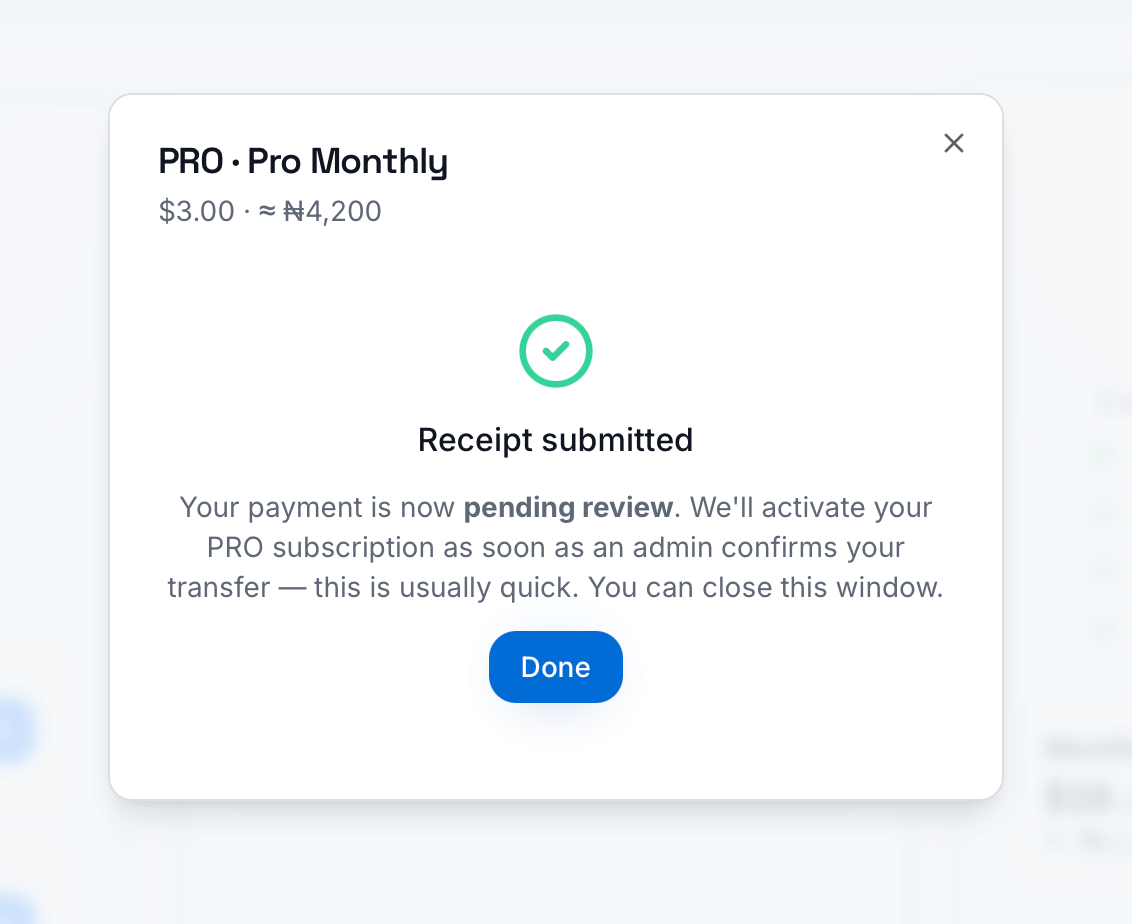
Step 4 — Wait for confirmation
Your payment now shows pending review. An admin checks that the money actually landed — this is usually done within a few hours (often much faster). Once approved:
- ✅ Your subscription activates automatically
- ✅ You'll see your tier and expiry date on your account page
- ✅ Grab your API key and paste it into the app (Section 7)
💡 Tip: You can close the window and keep browsing while you wait. Approval doesn't need you to stay online.
6. Paying with crypto
Crypto is instant — no waiting for admin approval.
Step 1 — Tap "Crypto"
A secure checkout window (powered by InventPay) opens.
[SCREENSHOT 12] — The crypto option in the payment chooser.
Step 2 — Pick your coin
Choose from supported coins — USDT, BTC, and more. The exact amount to send is shown in your chosen coin.
Step 3 — Send and wait for confirmation
- Copy the payment address or scan the QR code
- Send the exact amount from your wallet or exchange app
- Wait for on-chain confirmation (usually 1–10 minutes)
Step 4 — Done!
The moment the payment confirms on-chain, your subscription activates automatically — no admin, no waiting. Now paste your key into the app (Section 7).
— The InventPay checkout window with the QR code / address.
💡 Tip: If the popup gets blocked by your browser, look for the "Reopen payment window" button.
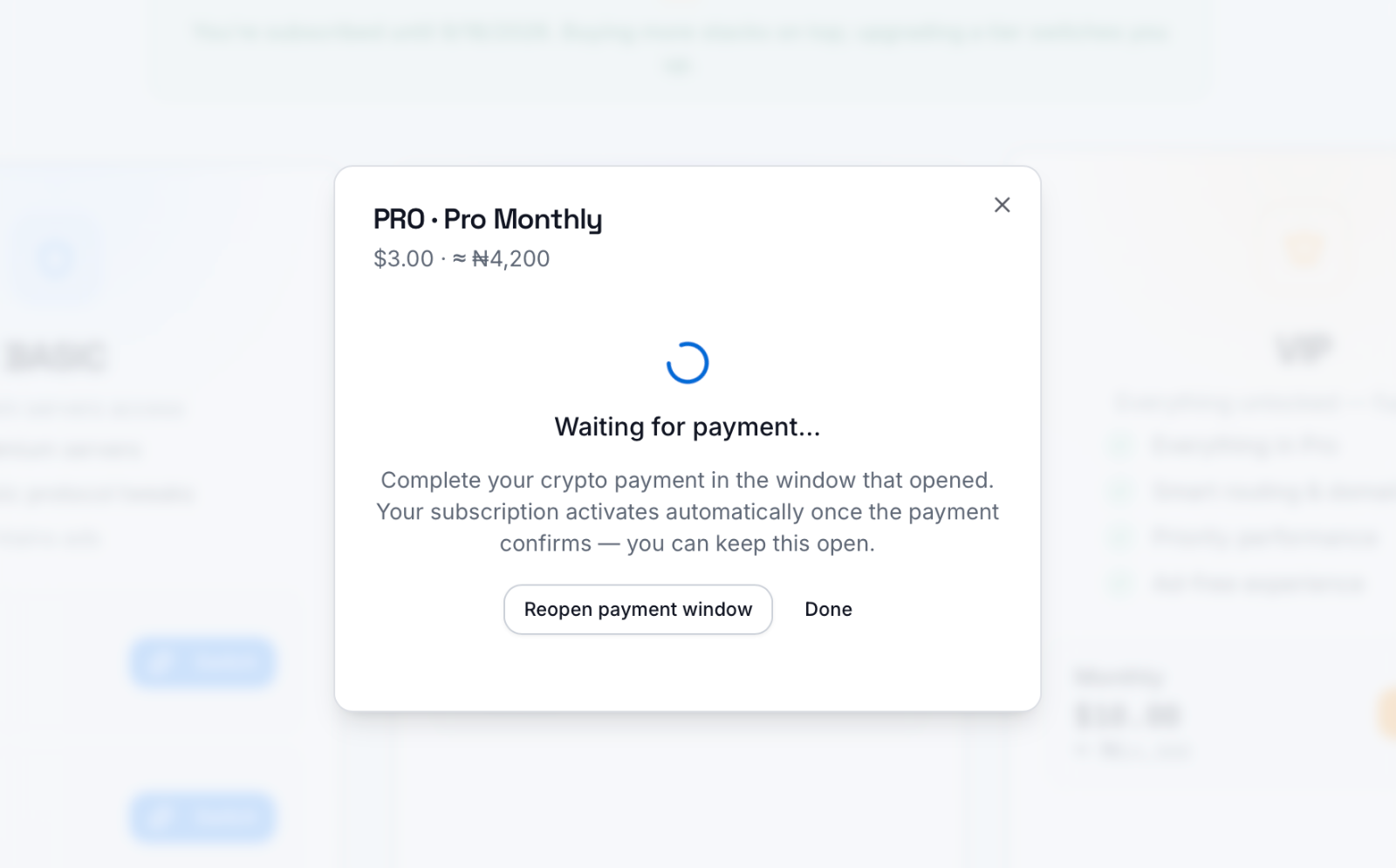
7. Unlock premium in the app — paste your API key
Paying activates your subscription on your account. The app then needs your API key to recognise you as premium. This key is the bridge between the website and the app — do this once and you're set.
Step 1 — Copy your API key from the website
- Sign in at tunneltweak.com
- Open your Dashboard (
tunneltweak.com/server/account) - Find the App API Key card
- Tap the copy icon — the key looks like
ttk_••••••••…c7049c
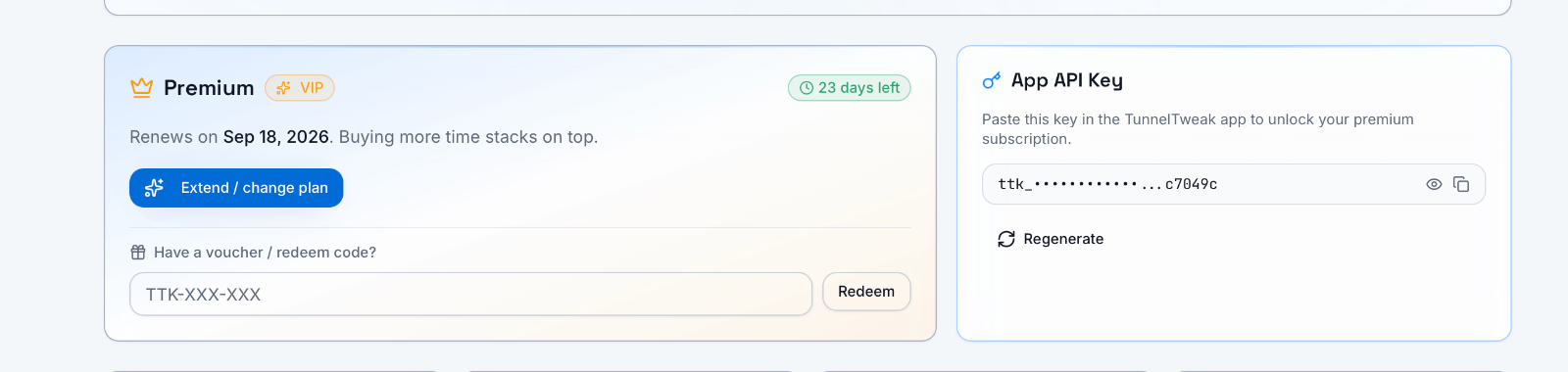
🔒 Keep this key private. Anyone with it can use your subscription. If it ever leaks, tap Regenerate on the same card to get a fresh key (the old one instantly stops working).
Step 2 — Open "Premium Account" in the app
- Open the Tunneltweak app
- Tap the ☰ menu (top-left) to open the side drawer
- Tap Premium Account
[SCREENSHOT 15] — The side drawer with the Premium Account item.
Step 3 — Paste your key and tap Validate
- Tap the API Key field
- Paste your
ttk_…key - Tap Validate
— The Premium Account dialog: the API Key field, and the Get Key / Validate / Clear buttons.
The app checks your key and shows your tier and expiry. Once it validates:
- ✅ Premium servers appear in the server list — pull down to refresh if you don't see them yet
- ✅ Advanced connection tweaks unlock (based on your tier)
- ✅ Ads switch off (PRO / VIP)
What the buttons do
- Get Key — opens the website account page if you don't have your key yet
- Validate — checks and activates the key you pasted
- Clear — removes the key from this device (use this when switching to a different account)
📱 New phone? Just install the app, open Premium Account, and paste the same key. Your subscription follows your account. (Device slots are limited per subscription to prevent sharing abuse.)
8. Redeem codes (gift / promo codes)
Got a code from a friend, a giveaway, or a reseller? Don't pay — redeem it:
- Sign in at tunneltweak.com
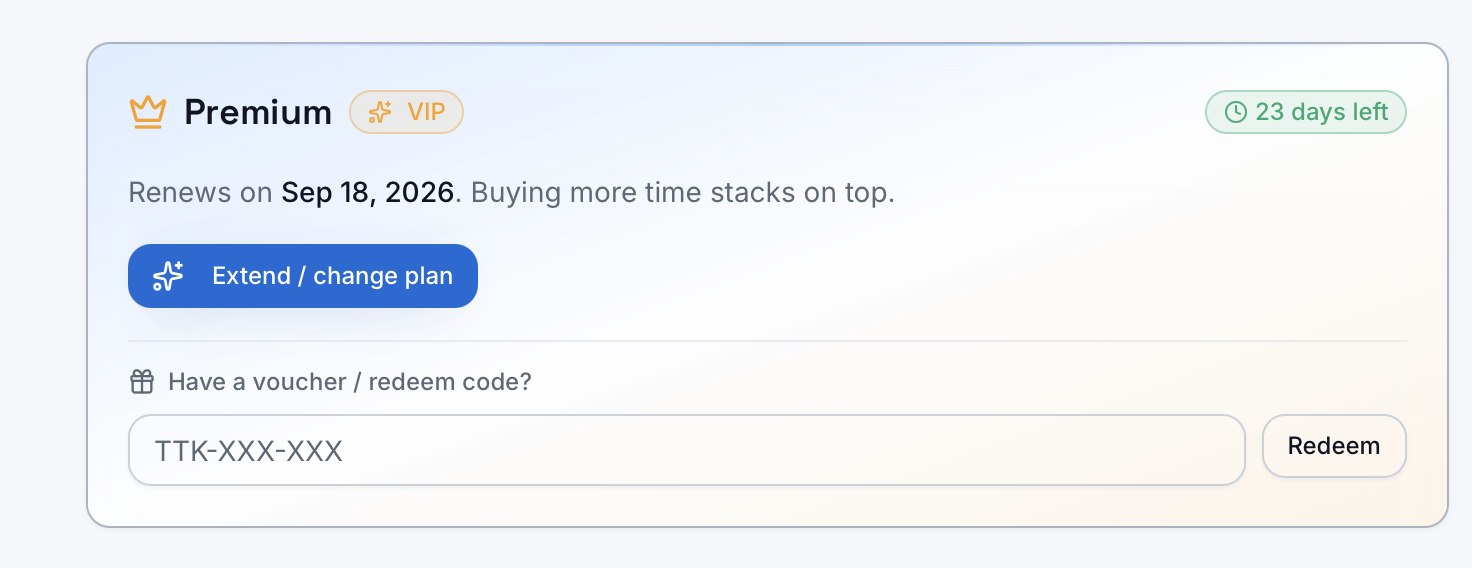
- Go to your Account page (
tunneltweak.com/server/account) - Enter the code exactly as given (e.g.
TTK-A1B-C3D) - Tap Redeem — your subscription activates instantly
Then paste your API key into the app (Section 7) if you haven't already.
The redeem-code box on the Account page.
Codes are single-use — once redeemed, the same code won't work again.
9. Frequently Asked Questions
Q: I paid by bank transfer — how long until it activates? Usually within a few hours. It needs a human to confirm the money landed (this protects everyone from fake receipts). Crypto is instant if you're in a hurry.
Q: I paid but the app still shows free servers. You need to paste your API key into the app — see Section 7. After validating, pull down to refresh the server list.
Q: Can I buy again while still subscribed? Yes — and you don't lose anything. New time stacks on top of your remaining days.
Q: What happens when my plan expires? Nothing breaks — you just drop back to the free servers. Your account and settings stay. Buy again whenever you want.
Q: Does premium work on more than one phone? Your subscription follows your account. Paste the same API key on your other device. (Device slots are limited per subscription to stop sharing abuse.)
Q: I sent the wrong amount / my payment was rejected — now what? Contact support at [email protected] or [email protected] with your receipt. Always transfer the exact amount shown to avoid this.
Q: Bank transfer vs crypto — which is better? Both give the same plan at the same price. Bank transfer is easiest if you have a Nigerian bank account. Crypto is faster (instant) and works from any country.
Q: Is my payment safe? Bank transfers go to our verified business account (Rimola LTD). Crypto goes through InventPay, an established crypto payment processor. We never ask for your bank password, PIN, or card details — anyone who does is not us. Questions? Reach us at [email protected] or [email protected].
Ready? Pick your plan here →
Comments(2)
Sign in to join the discussion.
nice. fully informed!
Would be nice to know what tweaks are available per plan tier.
Never miss a method.
One solid free-net tutorial a week — new posts, new server nodes, and the methods that still actually work. Join 74 readers already on the list.
No spam. One email a week. Unsubscribe anytime.